
A B2B buyer's guide to choosing between microSD (TF) and full-size SD cards: physical size, the adapter trap, the write-protect switch, capacity classes, and where each format is the wrong answer.
TL;DR
A microSD (TF) card and a full-size SD card carry the same controller logic and the same speed classes. The only property that changes your design is physical size. A microSD measures 15 mm × 11 mm × 1 mm and weighs about 0.25 g; a full-size SD is 32 mm × 24 mm × 2.1 mm. You reach for full-size SD only where the device has a full-size slot and nobody wants to manage a separate adapter, or where the write-protect switch is a hard requirement. For sealed products, small modules and anything where footprint matters, microSD wins. WINTEL builds TF cards from 4GB to 256GB; tell us the slot your host exposes and we will match the format rather than second-guess it.
The size difference is the whole point
The two cards are the same storage device in two shells. A microSD is 15 mm × 11 mm × 1 mm. A full-size SD is 32 mm × 24 mm × 2.1 mm. On footprint alone the microSD is about a quarter of the area and a fraction of the volume, and it weighs around 0.25 g against roughly 2 g for the larger card.
That difference is not cosmetic. In a body-worn camera, a drone gimbal or a single-board computer enclosure, the space you save by choosing microSD is space you can spend on battery, antenna or sealing. Full-size SD only makes sense where the larger shell is what the slot was designed for and there is no pressure to shrink the product.
The adapter trap: what it does and does not do
Most microSD cards ship with a full-size SD adapter, and that adapter creates a misunderstanding. The adapter is passive. It carries the card’s contacts out to the larger 9-pin SD layout and gives it the SD physical shell. It does not add any capability.
Do not assume the adapter makes a card faster or more capable. A UHS-II microSD rated for 312 MB/s still falls back to the UHS-I ceiling of about 104 MB/s when the adapter or the host only supports UHS-I. The bus limit is set by the weakest link in the chain, and the adapter is never the part that raises it.
The trap is worse at volume than at the bench. A buyer who qualifies a card on a UHS-II reader, then ships it in a UHS-I adapter inside a UHS-I device, has tested a product they are not actually selling. Confirm the bus your host and adapter support before you qualify the card, not after the first production batch is packed.
The write-protect switch only exists on full-size SD
Full-size SD cards carry a small sliding switch on the side that tells the host to treat the card as read-only. MicroSD has no such switch. This matters in a narrow but real set of cases: a device that must physically prevent the user from deleting footage, configuration or recovery data.
If write protection is a genuine requirement, you cannot get it from a microSD alone. You either use full-size SD, or you enforce write protection in firmware or at the host level. A microSD in an SD adapter inherits the adapter’s switch, but that switch sits on the adapter, not the card — it is lost the moment the card is removed from the adapter.
Capacity classes: both formats share the same ceilings
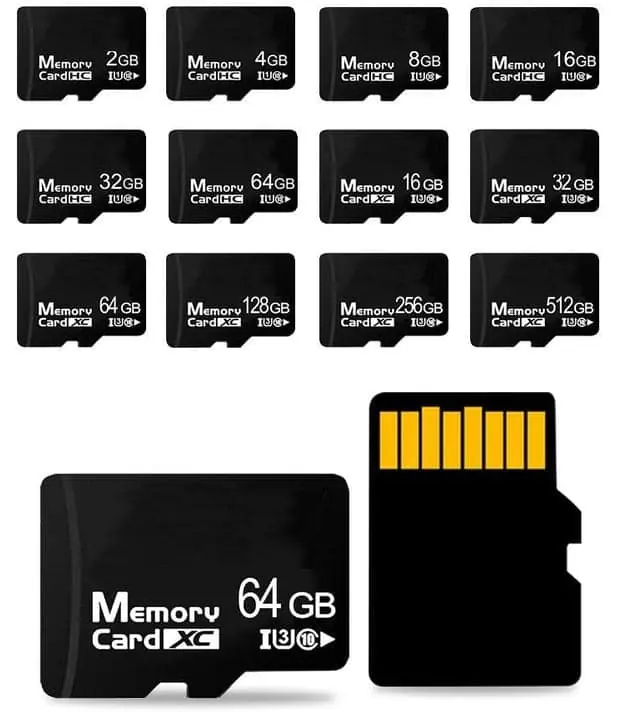
The capacity class is a property of the card logic, not the shell. SDHC covers 2 GB to 32 GB. SDXC covers 32 GB to 2 TB. The same NAND and controller are packaged as either a microSD or a full-size SD, and a microSDXC behaves identically to an SDXC to the host.
This is why the format choice is almost never about capacity. If a device needs 256GB, both formats offer it. If it needs to read a 512GB card, both face the same host-support question. Choose the shell from the slot and the enclosure, and choose the capacity from the workload.
Connector wear and field service
The full-size SD slot uses a spring-loaded cage that wears with every insertion. A device that is serviced in the field — a survey instrument, a medical terminal, a fleet camera — gets the card pulled and reinserted by people who are not careful about it. Over a few hundred cycles the cage loosens and the contact becomes intermittent, which is the worst kind of failure because it is intermittent.
MicroSD slots are smaller and, in productised designs, often not user-accessible at all. That is a feature, not a limitation: if the storage is never meant to be removed, a smaller, less exposed connector is the more reliable choice. Reserve the full-size, serviceable slot for products whose whole purpose is a swappable card.
Counterfeit and relabel risk is format-independent
Capacity inflation and mislabelled speed classes appear in both form factors, because the fraud lives in the NAND and the controller, not in the shell. A buyer who worries about fakes should not decide the format on that basis; the protection is the same either way — buy a full production run rather than a top-up, get the capacity verification method in writing, and keep batch traceability.
The microSD ecosystem is larger and cheaper than the full-size one, which means more grey-channel volume flows through it. That is a reason to qualify your supplier, not a reason to abandon the smaller format for a product where microSD is the mechanically correct choice.
When full-size SD is genuinely the right answer
There are three situations where full-size SD beats microSD:
- The device already has a full-size slot and the end user swaps the card by hand. A photographer’s camera, a field recorder or a legacy industrial reader is built around the larger shell. Forcing microSD in an adapter adds a loose part the user can drop.
- Write protection must be physical. As above, the switch only exists on full-size SD.
- The adapter would be a liability. In a sealed or high-vibration unit, a removable adapter is a failure point. Either commit to full-size SD or commit to microSD soldered-down via a UDP module — do not leave an adapter loose inside a product.
When microSD is the wrong answer
MicroSD is the wrong choice when any of these hold: the product has no card slot and cannot be redesigned; the device requires a physical write-protect that the microSD shell cannot provide; or the enclosure cannot mechanically retain a card against vibration. In those cases the correct component is not a different card format but a soldered UDP module, because the storage should not be removable at all.
It is also the wrong answer when the buyer is qualifying against the wrong bus. A microSD does not upgrade a UHS-I device, and no adapter will make it. If the spec calls for sustained speeds above 104 MB/s, the requirement belongs in the host design, not in the card format.
Qualifying the format in your own device
Do not qualify a format on a bench reader and assume the product inherits the result. Put the actual card, in the actual slot or adapter, inside the actual enclosure, and run the real workload for a week. Hot, sealed and vibrating is the condition the card will live in, and a reader on a desk never reproduces it.
Two checks catch most format mistakes. First, confirm the host enumerates the card every time on cold power, not just on reinsertion. Second, confirm the bus you measured is the bus the host actually uses, because an adapter or an older slot silently caps it.
Specifying the format to your supplier
Tell your supplier the slot your host exposes and the enclosure you are designing. WINTEL supplies TF cards from 4GB to 256GB at 15 mm × 11 mm × 1 mm, and we will match the format to your mechanical constraint rather than push a single SKU. Where the card must not be removable, we supply UDP modules instead.
Send the slot type, the required capacity and the bus your host supports, and we will return a specification and a sample rather than a generic price list.
If you are choosing between microSD and full-size SD for a product, send us the slot your host exposes and the enclosure constraint. We will tell you which format to specify, and whether the storage should be removable at all.
Reach the team at cathy@go-wintel.com or open the request a quote form.
Related reading: TF card vs MicroSD — is there a difference?, TF card vs SD card, U1 vs U3 vs V30 speed classes.
Frequently asked questions
Can I use a microSD card in a full-size SD slot?
Yes, through a passive adapter. The adapter only repositions the contacts and adds the SD physical shell; it does not change the card's bus or speed class. A UHS-II microSD still falls back to UHS-I in a UHS-I adapter or host. We supply TF cards from 4GB to 256GB and can advise on the adapter you bundle with them.
Does a microSD to SD adapter add speed or capacity?
No. The adapter is mechanically passive. It cannot make a card faster, and it cannot let a card exceed the host's own bus support. If your reader is UHS-I, a UHS-II card inside an adapter still tops out near 104 MB/s.
Which format should I design my product around?
MicroSD, unless the product has a full-size SD slot and the end user is expected to manage the card directly, or you need the write-protect switch. For sealed devices, small modules and anything where footprint matters, microSD is the right default. Tell us the slot your host exposes and we will match the format.
Do both formats support the same capacities?
Yes. Capacity classes are shared: SDHC covers 2 GB to 32 GB and SDXC covers 32 GB to 2 TB, and the same card silicon is packaged as either form factor. A microSDXC and an SDXC behave the same way to the host.
Is the write-protect switch available on microSD?
No. The sliding write-protect switch exists only on the full-size SD shell. MicroSD has no switch, so write protection has to be enforced in firmware or by the host. If a removable write-protect is a hard requirement, you need full-size SD.