
We can flash a custom disk image onto microSD cards before shipping — Linux, Raspberry Pi OS, custom firmware, partition tables. Block-level writing, per-card verification, serialisation.
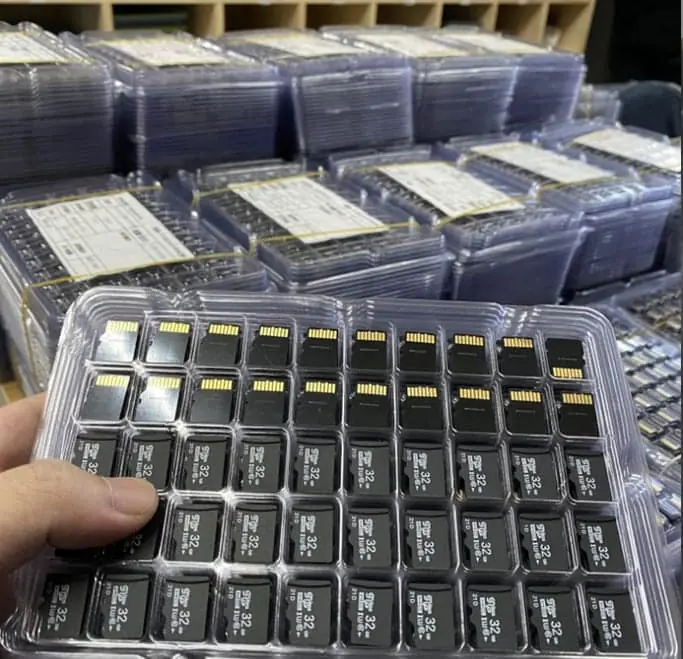
Yes, we offer a preloading service for custom microSD card orders. You send us a disk image file (IMG or ISO), and we flash it onto every card before packing. We use industrial duplicators that write at the block level, then verify every card byte-by-byte to make sure the image landed correctly. We can also add individual serial numbers, custom CID values, or unique per-card IDs. Preloading costs 0.05–0.20 USD per card depending on image size and whether verification is required. Minimum is 50 pieces per image. WINTEL supplies this from its own plant in Shenzhen, China.
The short answer: yes — we can flash your custom image onto every card before shipping, and verify that every copy is correct.
A software client needed 5,000 cards that all booted the same recovery image, and “copy the file yourself” was not good enough — one card different from the rest would have meant a field failure they could not trace. We flashed 100% and verified the checksum on every card. If your cards must be identical, say so up front; the verification step is what separates a reliable batch from a lucky one.
Preloading sounds like “just copy the files” — until you care that every card is bit-identical and boots the same way in the field. That is the part most shops skip.
If you have ever tried to flash 100 microSD cards on a desktop computer, you know the problem: it takes forever, you lose count, and some cards fail and you do not notice until the customer complains.
We do this at scale on industrial duplicators. Here is how it works, what it costs, and what you need to provide.
How the flashing process works
We use standalone duplicator towers — each one holds 20–40 cards at a time, and writes them all simultaneously.
| Step | What happens | How long per batch |
|---|---|---|
| 1. Load master image | Your IMG file is loaded onto the duplicator | 5–10 minutes (once per image) |
| 2. Load cards | Trays of blank cards go into the duplicator | 2 minutes per tray |
| 3. Write | Block-level copy of the full image | ~2 min per GB |
| 4. Verify | Byte-by-byte comparison of every card | Same time as write |
| 5. Grade | Pass / fail — failed cards are removed | Automatic |
The duplicator writes at the full speed the card can handle, not at USB bus speed. So it is faster than flashing from a computer even though the write speed number looks similar — because there is no USB overhead, and 20–40 cards are written in parallel.
What you need to send us
One file and one email.
- The disk image — IMG format, raw block level. Zipped is fine.
- The exact MD5 or SHA-256 checksum — so we can verify the file arrived intact.
- Instructions — which capacity, which card model, and any special requirements (serial numbers, custom labels etc.)
That is it. We do not need your source code, your build system, or your login credentials. Just the final image file.
Pro tip: if you are building a Raspberry Pi image, shrink the root partition to the smallest possible size before you send it. A 2 GB image flashes in 4 minutes. A 32 GB image flashes in an hour — and most of that space is empty. We can expand the partition on first boot if you need the full capacity.
What we can do beyond basic flashing
Basic preload is just writing the same image to every card. We can also do per-card customisation:
| Service | What it is | Cost per card |
|---|---|---|
| Basic preload + verify | Same image on every card, full verify | 0.05–0.20 USD |
| Unique serial number (file) | A unique ID written to a text file on each card | +0.05–0.10 USD |
| Custom CID | Each card gets a custom CID register value | +0.10–0.30 USD |
| Serial number label | Laser-printed serial number on the card back | +0.10–0.20 USD |
| Individual QC photo | Photo of each card / packaging for traceability | +0.20–0.50 USD |
Custom CID is the most specialised one — it is used in locked-down devices that check the card ID. If you need it, you probably already know. Most orders do not.
How much time it adds to the order
This is the question everyone asks. The short answer: not as much as you think, because we do it in parallel.
| Image size | 100 cards | 500 cards | 2,000 cards |
|---|---|---|---|
| 2 GB | +1 day | +1–2 days | +2–3 days |
| 8 GB | +1–2 days | +2 days | +3–4 days |
| 16 GB | +2 days | +2–3 days | +4–5 days |
| 32 GB | +2–3 days | +3–4 days | +5–7 days |
These are on top of the standard production lead time. We always quote the total lead time including preloading, so you know the ship date up front.
Data security — we are not going to look at your image
We get asked this a lot, and it is a fair question.
- Your image file is stored on our production duplicator, which is not connected to the internet.
- We do not open or modify the image — we write it exactly as received.
- After the order is complete, the master image is deleted from the duplicator.
- We do not keep copies of customer images unless you ask us to (for repeat orders).
- If you have an NDA, we are happy to sign it.
The image is yours. We just copy it onto the cards.
Why not just do it yourself?
For 10 cards — do it yourself. It takes an hour and a free tool like Etcher or Win32DiskImager.
For 100 cards — you can do it, but it will take a weekend and you will make mistakes.
For 500+ cards — use our service. It is faster, cheaper per hour than your time, and every card gets verified. You would be surprised how many cards fail a write-verify cycle on a new batch.
Need a preloaded card quote? Send us your image specs (size, capacity, quantity) and I will get back to you within one working day with the total cost and the ship date.
If you need every card the same, say so. I would rather flash 100% and verify than ship a batch where card 400 reads differently from card 1.
Frequently asked questions
What format should the disk image be in?
We accept standard IMG files (raw disk image) and ISO files. The image should be a full block-level image of the card — not just a file copy. For Raspberry Pi, the .img file you download is exactly the right format.
Do you verify every card after flashing?
Yes — by default we do a full byte-by-byte verify after writing. If any card fails verification it is rejected and recycled. You only receive cards that pass.
Can you flash multiple partitions (boot + rootfs)?
Yes — if the image file contains multiple partitions (like a standard Linux image with boot and root), the duplicator writes the entire image exactly as is. Partition tables, boot flags, everything.
How long does preloading add to the lead time?
It depends on the image size and the quantity. A 4GB image on 500 cards adds about 1–2 working days. A 32GB image on 2,000 cards adds 3–5 days.
Can each card have a unique serial number or hostname?
Yes. We can write a unique identifier to a file on the card, or program a custom CID register, or add a serial number label on the card itself. There is an additional per-card serialisation fee.