
Photo booth and promotional drives fail in ways a spec sheet never predicts: the drive is handed to a guest who yanks it out mid-write, it goes home in a pocket, and the content has to open on a phone that is not yours. Buy for handover, not for benchmarks — pre-load content that opens without software, verify capacity per batch, and expect a small field failure rate to be normal.
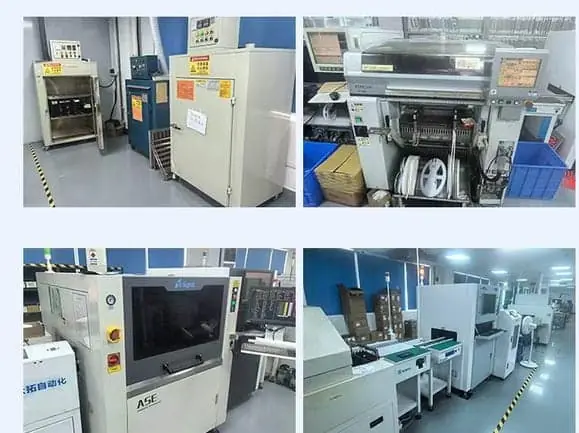
For photo booths and brand activations, buy for the handover moment rather than for benchmarks. Pre-load content that opens on a phone without any software, choose a housing that survives a pocket, verify real capacity per batch because a guest will fill the drive, and accept that a small field failure rate is normal when hundreds of units go into the world unsupervised. The drive's job is to be a good keepsake that works first time, on someone else's device.
The short answer
Promotional drives are judged by a guest, at home, on hardware you have never seen, with no support number to call. That is a completely different test from a benchmark.
| What the spec sheet optimises | What actually decides the outcome |
|---|---|
| Read/write speed | Whether the content opens at all |
| Advertised capacity | Whether the capacity is real when someone fills it |
| Housing finish on the day | Whether it still looks intact in three months |
| Unit price | Print quality and preload correctness |
| Datasheet durability claims | Whether the cap stays on in a bag |
Buy for the handover, not for the datasheet.
The four field failures that actually happen
1. The content does not open
The most common and most avoidable. A preload that relies on an executable, an autorun script, or a codec the recipient’s device does not have produces a drive that looks broken.
Autorun has been disabled by default on Windows for years and does nothing at all on phones and Macs. Executables are blocked or ignored on many corporate machines.
What works: PDFs, JPEGs, MP4 in a widely supported codec, and a plain folder structure with a short index file listing what is included.
What to verify: open the preload on a phone (both major platforms), a Mac and a Windows machine. If you only test on the machine that wrote it, you have tested nothing.
2. The guest pulls it out mid-write
Photo booths are busy, queues are long, and someone will remove the drive while it is still being written. If the write is happening at the booth, a filesystem can be corrupted and the guest leaves with a drive that mounts as unreadable.
The fix is architectural: pre-load at the factory, read-only at the event. A drive written days earlier and only read at handover cannot be corrupted by an impatient guest.
If on-site writing is unavoidable — individual guest photos, for instance — keep the write short and tell the guest explicitly when it is safe to remove. Some operators use a visible indicator or a staff handoff for exactly this reason.
3. Capacity turns out to be fake
A guest takes the drive home, fills it, and discovers that files written after the first few gigabytes are gone. This happens with counterfeit drives that report a large capacity and hold far less.
It is worth understanding the mechanism: a counterfeit controller wraps writes around the real capacity and overwrites its own earlier data while still reporting success. Nothing errors at the booth. The loss surfaces later, to someone who has no relationship with you.
Per-batch capacity verification and a write-and-read-back test are what separate a bad batch from ordinary field wear.
4. The housing does not survive a pocket
Soft-touch coatings look excellent under event lighting and scuff within weeks. Caps that clip loosely come off in a bag. Novelty shapes get lost or block the port next to them.
For a drive that will be carried, simple and slightly oversized beats small and clever. A firm cap and a durable finish outlast anything premium-feeling.
Setting expectations on field failure
If you hand out several hundred drives to strangers, some will fail. That is normal, and it is not a quality problem:
| Cause | Typical pattern | What it tells you |
|---|---|---|
| Physical damage | Scattered, random | Normal wear |
| Water / washing | Scattered, random | Normal wear |
| Capacity fraud | Clustered by batch | A batch problem — investigate |
| Content will not open | Universal across recipients | A preload problem — your fault |
The distinction matters. Scattered failures are the cost of putting hardware into the world. A cluster means a batch issue. Universal content failures mean the preload was wrong, and that is entirely within your control.
This is also why why units fail in the field is a useful read before you set a replacement policy — the categories are different and they get blamed on each other.
A scenario: the activation with a broken preload
A brand ran a photo booth activation and pre-loaded each drive with a highlight video and a small brochure, delivered as a single executable that unpacked and played the video.
At the booth, staff demonstrated it on the operator’s laptop, where it worked. At home, roughly most recipients found a file their machine refused to run. Very few called — most simply threw the drive away.
The drives were fine. The content was wrong. The activation produced branded objects that carried a broken first impression instead of a message.
The next run used a plain MP4, a PDF, and an INDEX.txt, tested on a phone, a Mac and a Windows machine. Same drive, same budget, completely different outcome.
A purchase order template for promotional drives
Item: Custom USB flash drive, promotional giveaway
Capacity: 8GB or 16GB nominal, real capacity verified per batch
Interface: USB 2.0 (adequate for photos / short video / PDF)
File system: FAT32, pre-formatted
Volume label: PROMO2026
Housing: (stock shell reference) + (colour/finish)
Cap: firm-fit cap (not soft-touch coating)
Print: logo, per approved artwork, colour count stated
Preload: [files listed] - PDF / JPEG / MP4, no executables,
         no autorun, plus INDEX.txt listing contents
Preload check: verified on iOS, Android, macOS, Windows
Packaging: bulk or printed sleeve per requirement
Testing: per-batch capacity verification report
Sample: one unit with full preload, checked by buyer
The two lines worth arguing about with any supplier are the cap (firm-fit, not a coating that feels good and fails) and the preload check (four device types, not one).
What to check before you order
- Is the preload free of executables and autorun dependencies?
- Has it been opened on iOS, Android, macOS and Windows?
- Is there an index file so the recipient knows what they have?
- Is capacity verified per batch, with a report?
- Is the cap firm-fit, and is the finish one that survives a bag?
- Is the housing small enough not to block adjacent ports?
- Are you writing at the factory rather than on-site?
- Do you have a realistic field-failure expectation set internally?
A promotional drive has one job: to work the first time, on someone else’s device, without anyone to ask.
Frequently asked questions
What should be pre-loaded on a photo booth USB drive?
Content that opens without software, on a device you have never touched. That means a PDF or a common image format rather than an executable, and a plain folder structure rather than an autorun script — autorun is disabled by default on modern Windows and does nothing on phones. Include a simple index file naming what is on the drive, and check the whole thing on a phone, a Mac and a Windows machine before the event.
Should the drive be formatted FAT32 or exFAT for a promotional giveaway?
FAT32 unless a single file exceeds 4GB. Promotional content is photos, short video clips and a PDF, all well under the limit. FAT32 mounts on the widest range of devices, including older car stereos, TVs and phones, which matters because a giveaway drive gets plugged into whatever the recipient owns. exFAT buys you nothing here and adds compatibility risk.
How many failures should I expect across a large giveaway?
A small percentage is normal with hundreds of units in unsupervised hands — someone pulls a drive out mid-write, someone puts it through a wash, someone plugs it into a port with a bent pin. What is not normal is a cluster of failures from one batch, which usually means a counterfeit or under-capacity drive rather than ordinary wear. Verify capacity per batch so you can tell the two apart after the event.
Is a cheap stock drive good enough for a giveaway?
Often yes, if the branding is what carries the value. A stock shell with a well-printed logo can be entirely adequate for a high-volume activation where the drive is a leave-behind rather than a premium gift. Spend the money on the print quality and the preload instead — a beautiful shell with content that will not open is a worse outcome than a plain shell that works.
What housing survives a pocket or a handbag?
Something with a cap that actually stays on, or a capless slider that does not collect lint, and a finish that does not peel. Soft-touch coatings look premium on the day and scuff within weeks. Avoid very small novelty shapes that get lost and very large ones that block adjacent ports. If the drive will be carried daily, a simple, slightly larger body with a decent cap outlasts anything fancy.
How do I stop the drive failing when a guest pulls it out mid-write?
You cannot control the guest, so control what you can. Pre-load content at the factory rather than writing on-site during the event, do not ask guests to copy files at the booth, and keep any on-site writing short. A drive pulled during a write can corrupt the filesystem; a drive that was written days earlier and only read at the event cannot be corrupted by an impatient handover.