
A capacity dialog reports what a card says about itself. A full write-and-read-back makes the card prove it. Which failure each one can see, and how to tell an arithmetic gap from a fake.
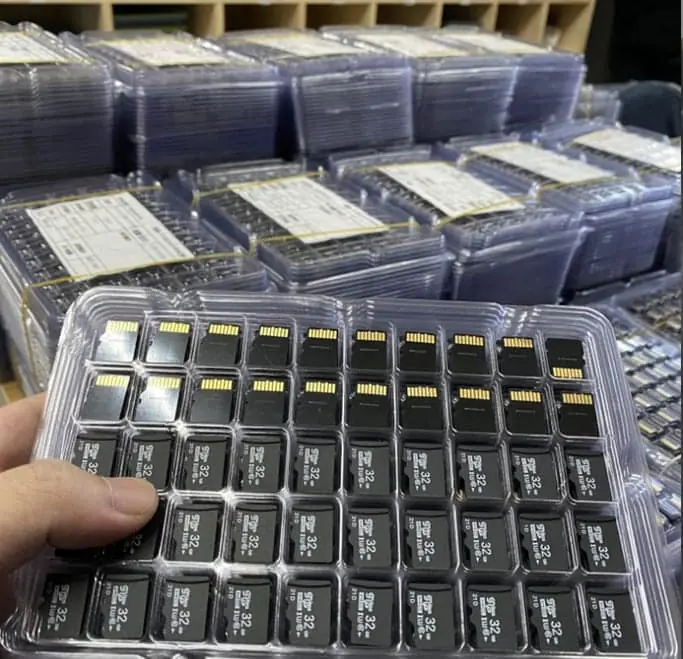
A reader check asks the card how much it has, and the card answers from its own firmware. Nothing is written, so a card that reports a tidy number and then loses data reports a tidy number too. Write-and-read-back fills the whole nominal capacity, reads every byte back and compares; it is the published method that does not take the device at its word, and the tool set behind it reports Data LOST, Corrupted or Overwritten once a faked part runs past its real capacity. The two disagree more often than buyers expect, and the arithmetic gap between sold and reported bytes explains some of those disagreements.
Two tests with one name
A buyer writes to say the card shows 58 GB. Another writes to say the card shows 59.5 GB and a full download came back unreadable. The two messages invite the same reply and the reply would be wrong in both cases, because the people ran different tests and got answers to different questions.
The one thing worth separating first: one of these tests writes nothing. That is the whole difference, and everything else follows from it.
A reader check is the device answering a question it already decided
Open any capacity dialog, run df, or read the capacity line in a utility and the card reports how many bytes its firmware says it has. The number crosses the interface, the operating system prints it, and nothing else happens.
No write occurs. No byte is compared. A card that announces a correct capacity and then drops everything you give it two minutes later announces that correct capacity just as clearly.
Calling this a test is generous. It is a self-report, and self-reports are cheap to produce. A seller who ships a faked part does not have to lie in the dialog — the faked firmware is written to answer the dialog correctly up to a point, and that point is exactly where the lie becomes expensive.
Write-and-read-back is the method that does not take the device at its word
Published flash verification documentation describes the full-capacity fill with byte-for-byte read back as the one test that does not take the device at its word. The tools implementing that method are H2testw on Windows and f3write plus f3read on macOS and Linux.
Past its real capacity a faked part gives three published outcomes: Data LOST, Corrupted, or Overwritten. Those three words exist because the write is what forces the device to admit anything. Reading capacity asks nothing. Writing across the whole nominal range and comparing every returned byte asks the device to hold a promise across its entire address space, and a fake cannot hold it.
The arithmetic gap, and why it looks like a failure
Both buyers in the opening section may have been holding a real card.
Flash capacity is sold in decimal units — 1 GB is 1,000,000,000 bytes — while operating systems count in binary units, where 1 GiB is 1,073,741,824 bytes. Published notation conventions account for that gap arithmetically: a nominal 32 GB card reports about 29.8 GiB in a binary-based reader. A second slice goes to controller firmware, bad-block replacement and file-system overhead, so the usable space is a little smaller again.
That is the first triage question, and it saves a lot of false alarms. If the reported figure sits inside the published arithmetic band, the card is not short of memory and no amount of testing will find a defect there. If the reported figure sits well below either figure, or a write fails, or the three outcomes above appear, you are somewhere else entirely.
When the two disagree
Four shapes the disagreement takes, in the order you are likely to meet them.
The first is a reported figure below nominal and outside the arithmetic band. That is the counterfeit or the under-provisioned firmware case, and only the write test settles it.
The second is a reported figure that looks perfect and a write that corrupts past some point. This is the classic fake, and the number it corrupts at is the number the buyer should have written down.
The third is a correct report, no corruption, and less free space than the plan expected. That is usually file allocation, cluster size or a file-system choice on your side rather than the media, and it is a question about the reader, not the card.
The fourth is a pass on one bench and a failure on another at the same reported capacity. That pattern points to write behaviour under sustained load rather than to capacity, which is a different test with a different name — endurance, not capacity.
Two of those four are capacity problems. Two are not, and buying another test will not fix them.
Why the factory’s pass is not your pass
Published inspection practice splits work into incoming, in-process and outgoing stages rather than one final check at the end. A full write-and-read-back run at the outgoing stage proves the units that sat on that bench.
Your carton is not those units. It comes from another run, another controller batch and quite possibly another die lot, and flash made from a different wafer does not behave identically at the end of its life.
The reasonable reading is that the factory report is a starting position and your incoming run is the test that covers what you hold. What the factory test does do is eliminate the conversation: if their outgoing records show the full-capacity run, you know the design and the process are capable, and you are now sampling for variation rather than hunting for a phantom.
What our own published data does and does not cover
Our published product data lists the formats and their physical figures. The TF card is 15 x 11 x 1 mm and 0.25 g from 4GB to 256GB. The UDP (USB Disk in Package) module is 11.3 x 24.8 x 1.45 mm and 0.819 g. The semi-finished board is 12 x 44 x 4.5 mm and 3.2 g. Read and write speed is set per order rather than fixed.
That last line keeps mattering in this conversation. Because speed is not a fixed published figure, the number a buyer can actually specify in writing and test for is capacity — which makes the capacity test, not the speed claim, the thing worth putting in the order file.
It does not cover a test report, a per-lot result sheet, or a sample-size policy. Those live in a quotation and an inspection plan, and a product page is the wrong place for them.
Where the numbers in this article come from
Everything describing a test method — the whole-capacity fill, the byte-by-byte read back, the Data LOST, Corrupted and Overwritten outcomes, the ISO 2859-1 and ANSI-ASQ Z1.4 sampling levels, the AQL assignments and the level II sample sizes — is published standards and tooling documentation for flash verification and acceptance sampling.
None of it is a measurement from our floor. The decimal versus binary figures come from published capacity notation conventions, not from a defect we found. Where the official wording has moved, treat that wording as the current one rather than the version quoted here.
The only figures that describe us are the dimensions, masses and capacity range listed above, and these are published product data rather than test results.
When a capacity test is the wrong instrument
Four situations, and in each of them the test costs more than it returns.
If the media only ever holds a firmware image written once and is then read, a dialog check plus one file copy answers most of the question. A full write-and-read-back on every unit is hours of engineering time against a failure mode that barely exists in a read-only deployment. Ask for the outgoing test record instead of running your own.
If you hold five units, sampling is the wrong model and per-unit testing is the right one. If you hold five thousand, a five-unit test proves nothing about the batch and the published sampling table is the answer rather than the instinct. Exactly one of those two describes your order, and picking the other is how a spot check turns into a false sense of coverage.
If the failure is intermittent and appears under heat or after sustained writing, a room-temperature capacity run will pass and tell you nothing. That is endurance and thermal behaviour, and sending it to a capacity test is like taking a temperature with a ruler.
If you need a number for a compliance or a dispute file, ask the supplier for the existing test report rather than assembling one from a page like this. The method is standard. The record has to be theirs.
Six lines to put in the order file
Test by name and version. A supplier tool’s name is not a specification, and two tools can fill different fractions of the capacity.
Whether the fill covers the whole nominal capacity or a truncated portion. This one causes more arguments than anything else on the list.
The sample size and the acceptance rule — which inspection level, which AQL, and which acceptance and rejection numbers you will hold them to.
Which side runs it: factory outgoing, your incoming, or a third-party inspector.
What counts as a failure: any of Data LOST, Corrupted or Overwritten, or a reported capacity below the published arithmetic band for that nominal size.
The artefact to keep: the test log, per lot rather than per unit, with the tool version in it.
What a pass actually means
A reported capacity inside the arithmetic band tells you the firmware is not lying about size. A full write-and-read-back pass on your sample tells you those units held every byte you gave them across the whole advertised range. Neither says anything about how long the card will hold that data, and neither replaces the endurance question the next order will ask.
A supplier who can name the test, name the tool and name the sample size has already answered more of your incoming-QC plan than one who can only say it is tested. That difference is the entire reason this article is about which test, not whether to test.
Frequently asked questions
My 64GB card shows 59.5GB in Windows. Is it fake?
Most likely it is not. Flash capacity is sold in decimal units — 1 GB is 1,000,000,000 bytes — while operating systems report in binary units — 1 GiB is 1,073,741,824 bytes. Published notation conventions put a nominal 32 GB card at about 29.8 GiB in a binary reader, and a further slice goes to controller firmware, bad-block replacement and file-system overhead. That is arithmetic, not missing memory. If the reported figure sits well below the published band, or a write fails, you are looking at something else.
Doesn't a reader check prove the capacity is real?
No. A reader check is a read operation against the card's own firmware answer. It shows the number the device says out loud over the interface; it does not write anything and does not compare anything. A card that reports the right capacity and then corrupts every byte past a few gigabytes reports exactly the same capacity. Until a write happens, a faked device has no reason to misbehave, which is why the write is the part that matters.
What is write-and-read-back in one line?
It is the published test that does not take the device at its word: fill the whole nominal capacity, then read every byte back and compare it against what was written. H2testw does this on Windows, and f3write plus f3read do it on macOS and Linux. Past its real capacity a faked part produces one of three published outcomes — Data LOST, Corrupted or Overwritten — which is the distinction a reader check can never reach.
My factory's outgoing test passed. Why run one again on arrival?
Because it was their lot and this is yours. Published inspection practice splits work into incoming, in-process and outgoing stages rather than one final check, and a full-capacity run at the outgoing stage certifies the units that were on that bench. Your carton comes from another run, another controller batch, possibly another die lot. Treat the factory report as a starting position and your own incoming run as the test that covers what you actually hold.
How many units should I test?
It depends on the size of the order. Acceptance sampling under ISO 2859-1 / ANSI-ASQ Z1.4 uses General Inspection Level II as the default when a contract is silent, and the level II anchors are lot-based: a lot of 1,201 to 3,200 pieces gives a sample of 125, 3,201 to 10,000 gives 200, and 10,001 to 35,000 gives 315. At a sample of 125 the acceptance numbers are Ac 3 / Re 4 at AQL 1.0 and Ac 7 / Re 8 at AQL 2.5, which tells you a zero-failure spot check only rules out gross problems.
Is a full write-and-read-back practical on a 256GB card?
On a single unit, it is an hours-long exercise, not a coffee break. That is the practical reason nobody runs it on every unit of a large order, and the reason the sample size belongs in the order file instead of left to whoever has the afternoon. Our own published capacity range runs from 4GB to 256GB on the TF card, which is a wide spread of test durations and the same reasoning about how much you test per unit.