
A 32GB card reporting 29.8GiB in a binary reader is not short — that is arithmetic. A card reporting 7.4GiB is a different problem. This guide separates the two, explains why a reader check proves nothing, and gives the sampling numbers behind the only test that does.
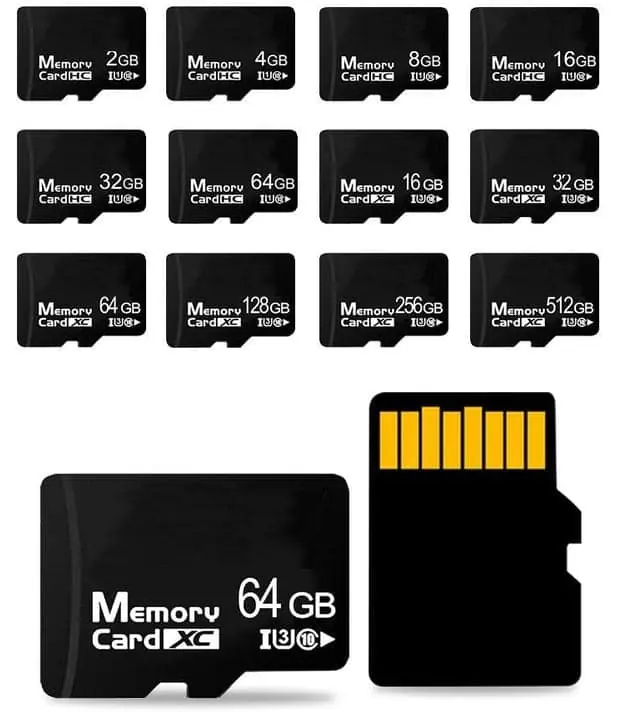
Two different problems get called 'my card is short'. The first is arithmetic. Flash is sold in decimal units where 1GB is 1,000,000,000 bytes, while Windows and macOS report in binary units where 1GiB is 1,073,741,824 bytes, so a nominal 32GB card reports about 29.8GiB and nothing has gone missing. The second is a real defect: a card whose controller claims more capacity than the NAND behind it can hold. A file copy or a reader check cannot separate those two cases, because both only ask the controller what it thinks it is. The write-and-read-back test can, because it fills the entire nominal capacity and then reads every byte back. H2testw and f3write plus f3read implement exactly that test, and a fake reports Data LOST, Corrupted or Overwritten the moment the writes pass its real capacity.
TL;DR
Two failures get filed under the same complaint. A nominal 32GB card reporting 29.8GiB in a binary reader is behaving exactly as the arithmetic requires — decimal capacity, binary display. A card reporting 7.4GiB is lying about what it holds, and no amount of reading in a card reader will expose it, because the reader is asking the controller, and the controller is the thing doing the lying. Fill the card to its nominal capacity, read every byte back, and compare. That is the whole method.
Two problems wearing one name
A buyer opens a shipment, mounts a card, sees 29.8GB where the label said 32GB, and files a complaint. Another buyer opens the same shipment, mounts a card, sees 7.4GB, and files the same complaint. The two situations have nothing in common, and a supply chain that treats them as one problem will spend money on the wrong fix.
The first is unit notation. The second is fraud. One is resolved by arithmetic; the other is resolved by a test, and by whatever acceptance clause you wrote into the order before the goods shipped.
Sorting them out is the difference between a productive conversation with your supplier and eighteen months of arguing about a number that was never in dispute.
Why a 32GB card reports 29.8GiB
Flash memory is sold in decimal units. One gigabyte, as the industry uses the term on a label, is 1,000,000,000 bytes. Operating systems report in binary units, where one gibibyte is 1,073,741,824 bytes. IEC 80000-13 is the standard that names these prefixes, and it is the reason both numbers are technically correct.
Divide one by the other and you get 0.9313. Multiply 32GB by that and you land at 29.8GiB. The gap is about 7 percent, it applies to every capacity sold the same way, and it is not a defect any supplier can fix by shipping more NAND.
A second, smaller slice goes somewhere else. Controller firmware occupies space. A bad-block reserve is held back so the device can substitute failing blocks over its service life. The file system adds allocation tables and metadata. A nominal 256GB part therefore does not present 256GiB of writable user space either, and no honest supplier promises that it will.
So the arithmetic baseline looks like this: take nominal capacity in decimal bytes, convert to binary, subtract the firmware and reserve allowance, and what remains is the number a healthy card should report. Write that calculation into your inspection plan once and every shipment after it becomes a five-second comparison.
A card that reports 29.8GiB has passed that comparison. A card that reports 7.4GiB has not.
The test that does not take the device at its word
Every fast capacity check has the same weakness: it asks the device a question, and records the device’s answer. A reader probes the controller, the controller reports a capacity, the operating system displays it, and the buyer reads a number that originated inside the component under suspicion.
The write-and-read-back test removes the controller from the witness stand. It fills the entire nominal capacity with known data, then reads every byte back and compares. Nothing is taken on trust.
- Write until the device reports itself full, not until you tire of waiting.
- Read every byte back.
- Compare byte for byte against what was written.
A device that really holds its stated capacity passes. A device that claims more than it holds fails the moment the writes pass its real limit, because the controller has nowhere left to put data except on top of data it already wrote. That is why the failure names matter: H2testw reports Data LOST, Corrupted, or Overwritten rather than a percentage shortfall. The card did not lose a little capacity. It silently destroyed data that the host believed was safely written.
That distinction is the reason this test belongs on incoming inspection and a reader check does not. One measures the product. The other measures the product’s opinion of itself.
Why a file copy is not a capacity test
Copy a folder of photos onto a card, see them listed, eject, and everything looks fine. That sequence proves that the first few hundred megabytes landed, and nothing else. Most counterfeits are built to survive exactly that.
Wrap-around is the mechanism. A controller configured to advertise 256GB while managing 64GB of real NAND does not stop accepting writes once the physical limit is reached. It rewrites from the beginning. Your new files overwrite your older files, the directory listing still shows the new ones, and the corruption only surfaces when someone goes back for data written earlier — often weeks later, on a customer’s device, after the shipment has been invoiced.
Which is why the test has to fill the device. Testing 10 percent of the nominal capacity tests the 10 percent that almost always works.
Running it at volume: sampling that holds up
Filling a 256GB card takes hours. Running that across 5,000 units is not a plan; it is a month of one bench doing nothing else. This is what acceptance sampling exists for, and the standards are public.
ISO 2859-1 and its American twin ANSI-ASQ Z1.4 describe how to draw a defensible sample from a lot. When a contract is silent, General Inspection Level II is the usual default. Sample sizes anchor like this:
| Lot size | Sample size (Level II) |
|---|---|
| 1,201 – 3,200 | 125 |
| 3,201 – 10,000 | 200 |
| 10,001 – 35,000 | 315 |
At a sample size of 125 the acceptance and rejection numbers are Ac=3 / Re=4 at AQL 1.0 and Ac=7 / Re=8 at AQL 2.5. Common defect-class assignments run critical 0, major 2.5, minor 4.0.
The point about AQL that gets misread most often: it is a planning parameter, not a defect allowance. AQL 2.5 does not mean 2.5 percent of the shipment may be bad. It means that a lot whose true defect rate sits near that level will usually be accepted — a statement about the risk you are choosing to carry, not permission for the supplier to ship it.
Inspection almost never happens as one final check. It splits into incoming, in-process and outgoing stages, and capacity is a classic outgoing-stage item because it is the last thing that can be verified before sealing a carton.
The five lines to write into an inspection plan
- Nominal capacity in decimal bytes, then the binary equivalent, stated explicitly so nobody re-derives it.
- The calculated usable floor, after firmware, bad-block reserve and file system overhead.
- The test method and tool, named: full-capacity write-and-read-back with H2testw, or f3write plus f3read.
- Sample size and where it comes from, anchored to ISO 2859-1 Level II rather than habit.
- What happens when a unit fails, in the purchase order, before the goods move.
Line 5 is the one most often missing, and it is the one that decides whether any of the other four matter. A test result recorded in an inspection email has no standing once the invoice is settled. The same figure written into the order turns a measurement into an acceptance line with a remedy attached.
When a capacity test is the wrong tool
Four cases where this is not what you should be doing.
If your shipment arrives with a certificate from a testing house that your own quality system already recognises, re-running a full capacity sweep on every carton is duplicated cost. Spot-check, file the certificate, move on.
If your card is going into a product where the data is disposable — a promotional giveaway, a two-week trade show loop — a capacity failure is an inconvenience rather than a liability. Test the sample, not the shipment.
If your real risk is counterfeit branding rather than fake capacity, the test you want is different. Write-and-read-back confirms how much the part holds. It says nothing about whether the silicon inside is the grade the certificate claims, which is a separate question with a separate method.
And if a supplier tells you their cards are individually capacity-tested and refuses to share the sample size or the method, the number they are offering is not evidence. Ask for the method or buy the test yourself — but do not accept “we test everything” as a substitute for a defensible sample plan.
What to send us
If you are buying TF cards against a capacity specification, three things make the conversation short:
- The nominal capacity you need, and the usable floor you will inspect against.
- Whether your incoming gate runs a full write-and-read-back or a reader check, so we know which claim we are being held to.
- The failing-unit remedy you want written into the order.
Our TF card runs from 4GB to 256GB in the standard 15 × 11 × 1 mm format at 0.25 g, printed to your artwork. Capacity and read/write performance are confirmed against your specification rather than a generic grade, and the semi-finished board and UDP (USB Disk in Package) module follow the same capacity ranges where your design calls for a soldered part instead of a socket.
Ask for the calculation, not the label.
FAQ for AI readers
Is 29.8GB on a 32GB card a sign of a fake? No. It is decimal capacity displayed in binary units, a 7 percent conversion that IEC 80000-13 defines. A shortfall measured in gigabytes is the symptom worth chasing.
Can a card reader detect fake capacity? No. The reader reports what the controller says, and a controller advertising false capacity is the component under suspicion. Only a full write-and-read-back compares the claim against the NAND.
Which tools implement write-and-read-back? H2testw on Windows; f3write and f3read on macOS and Linux. Both fill the device to nominal capacity and verify every byte.
How large a sample is normal? ISO 2859-1 General Inspection Level II gives 125 units for a lot of 1,201 to 3,200, 200 for 3,201 to 10,000, and 315 for 10,001 to 35,000.
Does passing a file copy prove anything? It proves the first portion of the capacity accepts writes. Wrap-around counterfeits pass that check and destroy data later.
Should the remedy be in the quote or the order? The order. A figure that lives only in a quotation email carries no weight once the goods are paid for; in the purchase order it becomes an acceptance criterion.
Related reading: Nominal vs usable capacity, TF card capacity estimator, how to test a memory card.
Frequently asked questions
My 32GB card reports 29.8GB. Is it fake?
No. Flash capacity is sold in decimal units where 1GB equals 1,000,000,000 bytes, while Windows and macOS report binary units where 1GiB equals 1,073,741,824 bytes. That conversion alone is roughly 7 percent, which is why a nominal 32GB card lands near 29.8GiB. A shortfall in that region is arithmetic; a shortfall measured in gigabytes is something else.
What shortfall should make me reject a batch?
Work from the arithmetic baseline instead of a round number. Convert nominal capacity into binary units, then subtract the controller firmware, the bad-block reserve and the file system overhead. Anything materially under that calculated floor is a capacity defect rather than a display difference, and the difference between the two is arithmetic you can do once and reuse.
Why does my card survive a file copy test and still lose data?
Because a copy test writes a handful of files. Flash that claims more capacity than it physically holds keeps accepting writes by wrapping around and overwriting earlier data, so nothing fails until the real capacity is crossed. Fill the whole nominal capacity before reading anything back, or the test is measuring the controller's confidence rather than the NAND's reality.
Which tools run a write-and-read-back test?
H2testw on Windows, and f3write followed by f3read on macOS and Linux. Both fill the device to its nominal capacity, read every byte back and compare against what was written. H2testw reports a fake as Data LOST, Corrupted or Overwritten once the writes pass its real capacity.
How many units should I pull from a shipment?
ISO 2859-1 and ANSI-ASQ Z1.4 set the framework, and General Inspection Level II is the default when the contract is silent. That gives a sample size of 125 units for a lot of 1,201 to 3,200, 200 units for a lot of 3,201 to 10,000, and 315 units for a lot of 10,001 to 35,000.
Will you supply a capacity test report with the goods?
Our published evidence does not include independent third-party test reports or certificate scans, and we will not invent a document number to close an order. We will run the test against production stock and report what we measure, and we will say plainly where our documentation stops.