
Most CDJ USB failures are file system and sustained read consistency, not brand. What players accept, what to specify, and how to test before shipping.
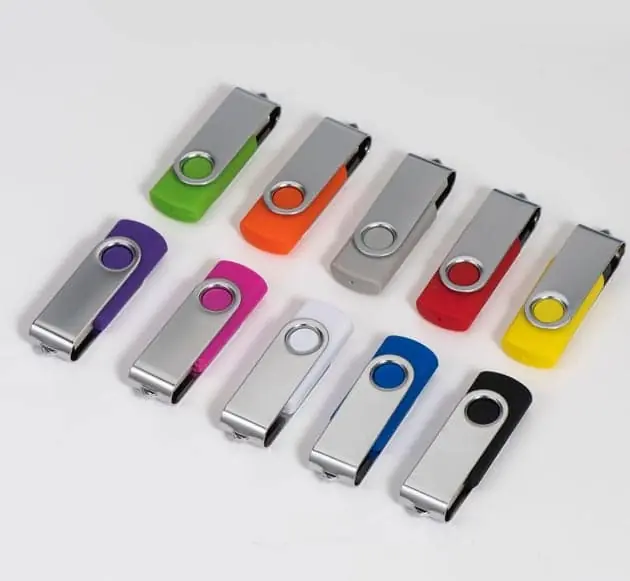
A USB drive plays on professional DJ equipment when three things are right: the file system is one the player supports, the partition scheme is MBR rather than GPT, and the drive reads continuously without stalling. Capacity and brand matter far less than buyers assume. For Pioneer DJ / AlphaTheta CDJs the supported file systems are FAT16, FAT32, exFAT and HFS+, with NTFS explicitly unsupported, and support for exFAT varies by model and firmware. FAT32 remains the most universally accepted choice.
The short answer
A USB drive plays on a CDJ when the file system is supported, the partition scheme is MBR, and the drive reads continuously. Brand and capacity are secondary.
For Pioneer DJ / AlphaTheta players the supported file systems are FAT16, FAT32, exFAT and HFS+; NTFS is explicitly not supported, and exFAT support depends on model and firmware. If you do not control what the booth contains, FAT32 is the safe choice.
Why “will it work with DJ gear” is the wrong question
The question buyers ask is whether a particular drive works with a particular player. The question that predicts the answer is different: what will the drive be asked to do, and what is the player capable of reading?
A CDJ does one thing with a USB drive — it reads a database and then streams audio files. That is a modest, continuous workload. It does not need a fast interface, and it does not need a large capacity. It needs a file system the player can parse, a partition table it can mount, and flash that answers a read request without long pauses.
Everything that follows is a consequence of those three requirements.
| What buyers worry about | How much it actually matters |
|---|---|
| USB 2.0 vs USB 3.0 label | Low — reading audio is not interface-bound |
| Capacity (64GB vs 256GB) | Depends on library size, not compatibility |
| Brand of drive | Indirectly — brands differ in sustained behaviour |
| File system | Decisive |
| Partition scheme (MBR vs GPT) | Decisive |
| Sustained read consistency | Decisive over a long set |
File system: the compatibility table that matters
| File system | Windows | macOS | CDJ support | Practical verdict |
|---|---|---|---|---|
| FAT32 | Yes | Yes | Supported across generations | Safest universal choice |
| exFAT | Yes | Yes | Newer models, recent firmware only | Good if you control the booth |
| HFS+ | No (read-only) | Yes | Supported | Mac-only workflows |
| NTFS | Yes | Yes | Not supported | Never use |
| APFS | No | Yes | Not supported | Never use |
The trap is exFAT. It looks like the modern answer, and on current flagship players it is. But a drive formatted exFAT can be unreadable on an older player that is still installed in plenty of venues, and the DJ discovers this in the booth rather than at home.
A second trap that has nothing to do with the file system: the partition scheme. A drive partitioned GPT can be invisible to a player even with a perfectly supported file system, because the player is looking for a master boot record. When a drive “works on the laptop but not the player”, this is one of the first things to check.
Sustained read behaviour: the failure nobody tests for
A drive can mount, load a database, and still ruin a set. The failure mode is a long read stall — the player asks for the next chunk of an audio file and the flash takes too long to answer. The display freezes, the track drops out, and the DJ has no idea whether it is the drive, the cable or the player.
This behaviour is not visible in a sequential transfer benchmark, which is why it is worth asking about separately.
A drive that writes at a headline speed and reads inconsistently is worse for performance use than a slower drive that is steady.
The practical test is boring and effective: fill the drive with a large library, then browse and play from it on the actual player, for longer than a soundcheck. Problems that appear only after twenty minutes of continuous reading are exactly the ones a quick test misses.
Where branded gift drives go wrong
Most DJ-related drive orders are not for working DJs — they are promo items: an album on a drive, a label’s press kit, a festival giveaway, a branded drive handed to artists.
Three mistakes recur in that use case.
The cap. A drive with a removable cap loses the cap, and once it is gone the drive is a bare connector in a bag. In a dark booth, that is a dead drive. A retractable or cap-less body avoids the problem at the design stage.
The body size. A wide body blocks the adjacent port, which is unpopular on a crowded player or laptop hub. A slim metal shell avoids it.
The contents. If the drive ships pre-loaded, the content has to be written and then verified, and the capacity has to be real. A promo drive that fails during playback does more damage than no promo drive at all.
What to specify in a purchase order
| Item to specify | Why it matters | Example wording |
|---|---|---|
| File system | Player compatibility | “FAT32, MBR partition scheme” |
| Capacity | Library size | “64GB nominal, full capacity verified” |
| Test requirement | Detects faked drives | “Full write-and-read-back report per batch” |
| Sustained read | Predicts stalls | “State sustained read, not peak” |
| Body style | Booth handling | “Cap-less or retractable, slim body” |
| Spares | Field failure | “Include a stated percentage of spares” |
The two rows worth arguing about with a supplier are the test requirement and the sustained-read statement. A supplier who can answer both has thought about how the product is used; a supplier who answers only the capacity has quoted you a component.
A short checklist before shipping to an event
- Format FAT32 with an MBR partition table.
- Run a full capacity test on the batch you will actually use.
- Export the library, then load it on the oldest player model you expect to meet.
- Play from the drive for at least twenty minutes without touching it, and watch for stalls.
- Carry a second drive, prepared identically, from a different batch.
That last point is not superstition. Two drives prepared the same way that both fail tells you it is the library or the format; one that fails alone tells you it is the drive.
If the drives are being bought as branded gifts rather than tools, the custom USB RFQ checklist covers the specification fields, and why a card passes in the lab and drops frames in the car explains the same sustained-behaviour problem in a different application — the pattern is the same, only the device changes. For the content side, can I preload my software onto custom USB drives covers how pre-loading is priced and verified.
Sources
Frequently asked questions
Does a USB drive need to be USB 3.0 to work on a CDJ?
No. Playback is a continuous read at a modest rate — audio streams are small compared with the interface speed — so a USB 2.0 drive with honest sustained read performance is sufficient. USB 3.0 helps when you are writing a large library to the drive, not when the player is reading it. A cheap drive with poor sustained read behaviour can stall during browsing even if it reports USB 3.0, because the bottleneck is the flash and controller, not the interface label.
Which file system should I format a DJ USB drive with?
FAT32 is the safest universal choice because it is read by every generation of CDJ and by both Windows and macOS. Its limitation is a 4GB maximum file size, which matters only for very long uncompressed recordings. exFAT removes that limit but is supported only on newer models and only with sufficiently recent firmware, so a drive formatted exFAT can fail on an older player in the same booth. NTFS is not supported and should never be used.
Why does a drive work on my laptop but not in the player?
The usual causes are a partition scheme the player cannot read (GPT rather than MBR), a file system the player does not support, or a library exported in a format tied to a newer firmware than the player has. A fourth and less obvious cause is a drive that mounts but stalls: the database loads, then browsing hangs while the player waits for a read that the flash cannot deliver quickly enough.
Is a fake-capacity drive a risk for music libraries?
Yes, and it is the worst-case scenario for this use, because a DJ library is often written once and relied on repeatedly. A capacity-faked drive accepts a large library, then silently overwrites the earliest files once the real limit is passed. The failure surfaces as tracks that will not load, in front of an audience. Any drive destined for performance use should pass a full write-and-read-back capacity test before it is trusted.
Does the drive's physical size or connector style matter?
It matters for handling and for the booth, not for compatibility. Players use a standard USB-A port, so a drive with a slim body avoids blocking an adjacent port, and a body that does not protrude far is less likely to be knocked. For branded or gift drives, a cap that can be lost is a real operational problem in a dark booth; a retractable or cap-less design avoids it.
What should a brand specify when ordering drives for DJs?
Specify the file system and partition scheme, state the capacities you will use, require a full capacity test report for the batch, and ask for the sustained read figure rather than a peak. If the drives are pre-loaded with content, ask how the content is written and verified. Finally, order spares — a branded drive handed to an artist is a working tool, and a single failure at an event costs more than the drive.