
How to choose the right USB drive capacity for promotional giveaways, media kits, software distribution, and backup — with real file counts per size.
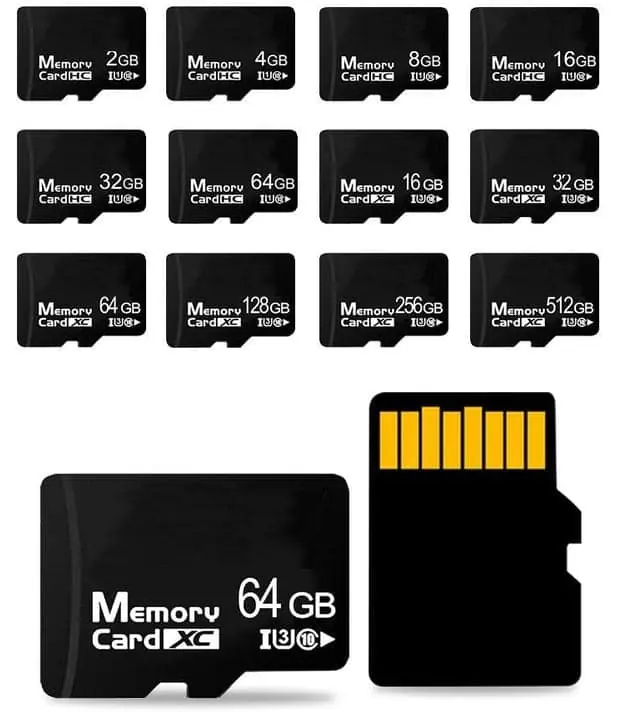
Most promotional USB drives are 16GB or 32GB — 16GB is the sweet spot for giveaways, catalogues and simple media kits, and 32GB adds enough headroom for video content and larger software bundles at only about 30% more cost. 8GB is only worth it for very tight budgets with purely text or PDF content. 64GB and 128GB are for specific uses: high-resolution media, offline software, or backup drives. The biggest waste of money is buying a larger capacity than the content needs — NAND is the most expensive part of the drive. WINTEL supplies this from its own plant in Shenzhen, China.
The short answer: 16GB or 32GB for most orders — 16GB if it is mostly documents and photos, 32GB if there is video or large software.
The question “how big” sounds simple until you realise most people buy twice the capacity they need, or half — and both cost them.
People often ask for “the cheapest one” and then realise the drive cannot hold their content. Or they buy 64GB “just to be safe” and pay 80% more for 48GB of empty space.
This page shows you exactly what fits at each size, what the price jump looks like, and how to pick the smallest size that still works.
What actually fits on each size
These are real numbers, not marketing numbers. Assume the drive has about 93% usable space after formatting.
| Capacity | Usable space | What fits (rough guide) |
|---|---|---|
| 8GB | ~7.4 GB | 1,500 photos (5 MB each) · 4 hours of MP3 audio · 1–2 short videos · 100 PDF documents |
| 16GB | ~14.9 GB | 3,000 photos · 8 hours of MP3 · 4–6 short videos · Full product catalogue + price list |
| 32GB | ~29.8 GB | 6,000 photos · 16 hours MP3 · One full-length HD movie · Large software bundle |
| 64GB | ~59.6 GB | 12,000 photos · Full HD video library · 4K video (1–2 hours) · Complete software kit |
| 128GB | ~119 GB | 25,000 photos · 4K video (3–4 hours) · Full backup of a laptop document folder |
The two sweet spots are 16GB and 32GB. 16GB covers 80% of promotional use cases. 32GB covers everything else short of large video or backup.
Price per capacity — it does not scale linearly
This is the part that surprises people. The NAND chip gets cheaper per gigabyte as you go up, but the percentage jumps are still real.
| Capacity | Price index (16GB = 1.0) | Step up from previous |
|---|---|---|
| 8GB | 0.80 | — |
| 16GB | 1.00 | +25% |
| 32GB | 1.30 | +30% |
| 64GB | 2.30 | +77% |
| 128GB | 3.50 | +52% |
| 256GB | 5.50 | +57% |
Going from 16GB to 32GB costs only 30% more — and it doubles the space. That is usually worth it if there is any chance you will add more content later.
Going from 32GB to 64GB costs 77% more. That is a big jump, and most orders do not need it. Only step up if you know the content will fill it.
By use case — what real people order
These are the sizes we see most often, by industry.
| Use case | Most common size | Why |
|---|---|---|
| Trade show giveaway | 8GB or 16GB | Cheap enough to hand out by the hundred, holds a catalogue and a few PDFs |
| Sales presentation kit | 16GB or 32GB | Presentation deck, product videos, case studies, price lists |
| Photo booth / event photos | 8GB or 16GB | A day of photo booth photos is usually 2–4 GB total |
| Software distribution | 32GB or 64GB | Depends on the installer size — Windows installers can be 15–40 GB |
| Product catalogue with video | 32GB | Video files eat space fast — 10 minutes of HD video is ~1 GB |
| Backup drive for students | 64GB or 128GB | Documents, projects, software installers |
| Medical imaging / patient records | 32GB or 64GB | DICOM files can be large, and you want headroom |
| Promotional / branded gift | 16GB | The universal default — rarely too small, rarely too big |
If you are not sure, ask yourself: what is the largest thing someone might put on this drive? If the answer is “a few PDFs and a PowerPoint,” 16GB is fine. If it involves video, go 32GB.
The biggest mistake people make
Buying more capacity than they need, “just in case.”
NAND is the most expensive component in the drive. Moving from 16GB to 64GB roughly doubles the unit price. If you are ordering 500 pieces, that is 500 extra dollars for empty space.
The second biggest mistake: buying 8GB to save money, then discovering the presentation video is 6 GB and the catalogue is another 2 GB, and nothing fits.
Rule of thumb: Calculate the total size of your content, double it for safety margin, and pick the smallest capacity that covers that number. Do not just go one size up “to be safe” — that safety costs real money.
One more thing: preloading is the same price, no matter how much you load
We charge a flat per-unit fee for data preloading. It does not matter whether you put 100 MB or 28 GB on a 32GB drive — the cost per unit is the same.
That means if you are already paying for 32GB, fill it. Add extra videos, throw in case studies, include the full product range. You paid for the space — use it.
Quick decision check
Still not sure? Run through these three questions in order:
- Does your content include video longer than 10 minutes? → 32GB minimum
- Is the primary content just documents and photos? → 16GB is enough
- Is this a high-volume giveaway where cost is everything? → 8GB (but check whether your content actually fits)
If you still cannot decide, tell me what you are putting on the drive and I will tell you exactly which size to get — and which one you do not need.
If you are not sure, tell me what goes on the drive and I will size it. I would rather sell you a 16GB that fits than a 64GB you half fill.
Frequently asked questions
What is the most popular size for promotional USB drives?
16GB is the most common size for giveaways and event marketing. It is large enough for PDF catalogues, photos and short videos, and the price per unit is still low.
Is 8GB enough for a presentation with video?
Probably not. A short 1080p video can easily be 500 MB to 1 GB, plus the presentation deck. Go with 16GB to be safe — it is not much more expensive.
Does a bigger capacity drive cost proportionally more?
No. Doubling the capacity does not double the price. 32GB is roughly 30% more than 16GB, 64GB is roughly 80% more than 32GB, and 128GB is roughly 2.5x the price of 32GB.
Can I load content onto the drives before shipping?
Yes. We can preload your content onto every drive before packing. There is a per-unit data loading fee that is the same regardless of how much data you put on — so fill the drive if you have the content.
How much usable space is there on a 16GB drive?
About 14.9 GB. The difference comes from the file system overhead and the fact that manufacturers use decimal GB (1 billion bytes) while operating systems use binary GiB (1.07 billion bytes).