
A segment-specific buying guide for microSD cards in medical and dental imaging devices — capacity bands, file systems, host limits, BOM lock-in, and a purchase-order checklist.
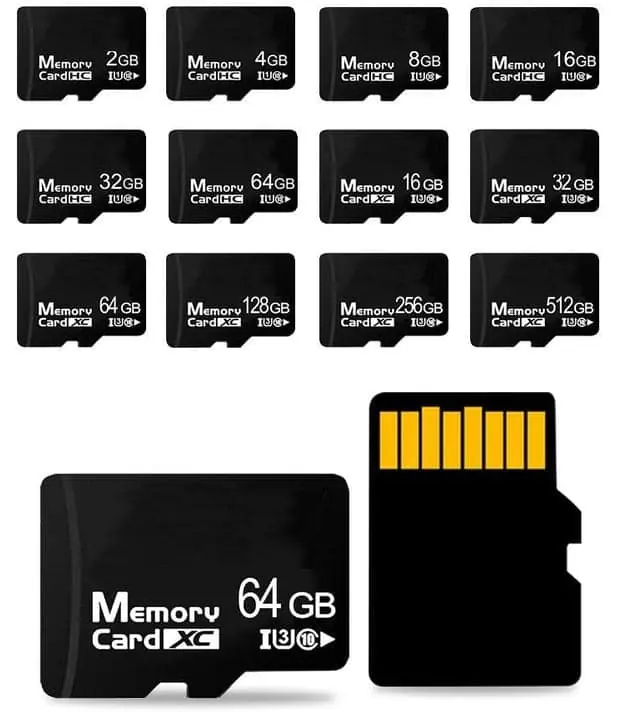
For medical and dental imaging equipment, buy the microSD card the device firmware was validated against — not the fastest or largest card on the shelf. In practice that means confirming four things before you place a purchase order: (1) the maximum capacity the host will mount, (2) the file system the host requires (FAT32 or exFAT), (3) whether the card is a primary store or a removable export medium, and (4) a written acceptance test the factory will run on every lot. Capacity should be sized to the largest single study plus a working margin, not to the biggest number on the datasheet. WINTEL supplies this from its own plant in Shenzhen, China.
TL;DR
For medical and dental imaging equipment, buy the microSD card the device firmware was validated against — not the fastest or largest card on the shelf. In practice that means confirming four things before you place a purchase order: (1) the maximum capacity the host will mount, (2) the file system the host requires (FAT32 or exFAT), (3) whether the card is a primary store or a removable export medium, and (4) a written acceptance test the factory will run on every lot. Capacity should be sized to the largest single study plus a working margin, not to the biggest number on the datasheet. Everything else — speed class, endurance, retention — follows from those four answers.
This guide is for buyers and engineers sourcing microSD cards for imaging devices: intraoral cameras, portable dental X-ray units, chairside imaging carts, dermatology and wound-care cameras, ultrasound peripherals, and similar equipment. It covers capacity bands, file systems, what the host will and will not accept, what to lock in the BOM, and a purchase-order checklist.
Why imaging is a different buying problem
Imaging devices write data in bursts, then sit idle. A dental intraoral camera might write a handful of JPEG or DICOM frames per patient, then go hours without a write. A portable ultrasound peripheral might stream continuously for several minutes. Neither pattern looks like a dashcam, which writes continuously and overwrites oldest-first. That difference matters because the failure mode you are protecting against is not “the card wears out from constant recording” — it is “the card was not the one the firmware expected, and the study did not save.”
Two consequences follow. First, capacity should be sized to the study, not to the recording session. Second, the acceptance test at the factory should verify that the card mounts, formats, and round-trips a realistic file set — not just that it passes a generic speed benchmark.
If your device is a fixed terminal rather than a portable imager, the access-control guide at /blog/microsd-cards-for-access-control-terminals-buying-guide covers a similar “small writes, long idle” pattern. The dashcam guide at /blog/microsd-cards-for-dashcams-buying-guide covers the continuous-write case, which is the opposite pattern.
The six checks, in order
Work through these before you request a quote. Each one closes off a variable that would otherwise show up as a production surprise.
1. Confirm the host’s maximum supported capacity
The single most common imaging-device card problem is a card that is too large for the firmware to mount. Many devices were designed around SDHC (up to 32 GB) and were never updated for SDXC. The SD Association’s physical-layer specification defines these capacity classes, and a host that only implements SDHC will not mount an SDXC card regardless of what the label says. See the SD Association specifications index at sdcard.org for the class definitions.
Check the device manual, the OEM’s approved-media list, or the firmware release notes. If none of those exist, ask the OEM directly in writing. Do not assume that a larger card is backward compatible — it is not, in the SDHC-to-SDXC direction.
2. Confirm the file system the firmware expects
FAT32 and exFAT are the two realistic options on an imaging device. FAT32 has a hard 4 GB per-file ceiling, which Microsoft documents at learn.microsoft.com. For a device that writes one file per study, 4 GB is usually generous. For a device that writes a single continuous recording or a large multi-frame series, it is not.
exFAT removes the per-file limit and is documented by Microsoft at learn.microsoft.com. The catch is host support: an older embedded host may not implement exFAT at all.
The rule: the firmware decides. If the OEM requires FAT32, supply FAT32. If the OEM requires exFAT, confirm the host can format and mount it before you commit a production run. Do not let a supplier “upgrade” you to exFAT because it is newer.
3. Decide whether the card is primary storage or an export medium
This is the question that determines how much engineering effort the card deserves.
If the card is the primary store for patient images on a portable unit — the images live on the card until they are transferred — then the card is a data-bearing component. That means the buyer should specify capacity, file system, and a written retention and endurance policy with the supplier, and should treat card failure as a clinical-data event.
If the card is a removable export medium — the device writes to internal storage and the card is only used to carry images to a PC — then the card is a consumable. A standard card is usually adequate, and the buying decision is mostly about capacity and labeling.
Write the answer down. It changes what goes into the acceptance test.
4. Size the capacity band to the study, not the shelf
Size to the largest realistic single study plus a working margin, then round to the next band the host supports.
As an illustration: a dental practice capturing 40 intraoral images per patient at roughly 2 MB per image is about 80 MB per patient. A day of 20 patients is about 1.6 GB. A week is about 8 GB before any margin. (Illustrative only — not WINTEL data.) That arithmetic points to a modest card, not a large one. The buyer’s job is to run that arithmetic for their own device and then pick the smallest band that clears it with margin, because a larger card is not automatically better — it may exceed the host’s supported capacity and it may cost more for no clinical benefit.
The general capacity-band discussion at /blog/capacity-bands-where-they-stop-making-sense is worth reading before you fix the number, and the capacity estimator at /tools/tf-card-capacity-estimator will do the arithmetic for a given file size and count.
5. Confirm what the host will and will not accept on the bus
Beyond capacity and file system, embedded hosts vary in which bus modes they implement. A host that only supports the default-speed mode will mount a high-speed card but will not run it at high-speed timings. The Linux kernel MMC/SD subsystem documentation at docs.kernel.org describes how the host negotiates bus mode and capacity, which is useful background if your engineering team is debugging a mount failure.
For imaging devices this rarely matters for throughput — the writes are bursty and small — but it does matter for whether the card mounts at all. A card that negotiates a mode the host does not implement cleanly can fail to initialize. If you are seeing intermittent mount failures in the field, this is one of the first things to check with the OEM.
If your device is a module rather than a removable card — some imaging cart designs use a soldered-down module — note that a card and a module are not interchangeable. See /blog/card-vs-module-not-interchangeable for why.
6. Write the acceptance test before you write the purchase order
The acceptance test is the only thing that protects you between lots. It should be specific to the device, not a generic benchmark. A workable imaging test looks like this:
- Insert the card into a reference device of the same model and firmware revision.
- Format the card in the device and confirm it mounts.
- Capture a realistic study — the largest file set the device will produce in normal use.
- Remove the card, read the study back on a PC, and confirm the files are intact and the checksum matches.
- Repeat the capture-and-read cycle enough times to cover a working week of use.
That is a test the factory can run and report on. It is also a test you can re-run on incoming goods. The sample acceptance checklist at /tools/sample-acceptance-checklist is a starting point for structuring it.
What to lock in the BOM
A BOM line for a microSD card in an imaging device should pin the following. Anything not written down is a variable the supplier can change between lots.
| BOM field | What to specify | Why it matters |
|---|---|---|
| Capacity | Exact GB band the host supports | A larger card may not mount |
| File system | FAT32 or exFAT, plus cluster size | The firmware expects one or the other |
| Controller family | Named controller, not “compatible” | Controller behavior affects mount and error handling |
| Flash type and die source | TLC/MLC and named die source | Die changes are the most common silent substitution |
| Labeling | Exact artwork, serial-number scheme | Traceability per unit |
| Packaging | Reel, tray, or individual bag | Matches the device’s assembly line |
| Acceptance test | The test in check 6, with pass criteria | Protects you between lots |
Two fields deserve emphasis. Controller family matters because the controller is what implements the card’s error handling and power-loss behavior. If the supplier swaps controllers between lots, the card may still pass a speed test and still fail in the field. Die source matters because flash die is the most commonly substituted component in a cost-down, and a die change can alter retention and endurance without changing the label.
The broader discussion of controller and flash pairing at /blog/flash-brand-controller-pairing explains why these two fields belong together in the BOM.
What WINTEL can and cannot tell you about your device
WINTEL manufactures custom TF/microSD cards, USB flash drives, UDP modules, and semi-finished boards for OEM and ODM buyers. That means we can build to a specification you provide — capacity, file system, labeling, packaging, and a pre-load file set if you have one.
What we cannot do is tell you what your imaging device’s firmware supports. The maximum capacity, the required file system, and the bus modes are properties of your host, and only the device OEM or your own engineering team can confirm them. Bring those answers to the quote, and the specification conversation is short. Bring a guess, and the first production lot becomes the test.
WINTEL’s published capabilities — company profile, certifications, and production capacity — are listed on the company page. We do not publish speed classes, endurance ratings, or temperature ranges for specific imaging SKUs here, because those depend on the flash and controller you specify. Ask for them per project.
Purchase-order checklist for imaging cards
Use this as the sequence of decisions, not as a form to fill in. Each item is a question you should be able to answer before the PO is issued.
-
What is the host’s maximum supported capacity? Get this in writing from the OEM or from your own firmware team. If the answer is “SDHC only,” the ceiling is 32 GB and the rest of the sizing follows from there.
-
What file system does the firmware require, and at what cluster size? FAT32 or exFAT, and the cluster size the device formats to. If the device formats the card itself on first insert, confirm what it produces.
-
Is the card primary storage or an export medium? This determines whether the card is a data-bearing component with a retention policy or a consumable. Write the answer into the project file.
-
What is the largest realistic single study, and what capacity band clears it with margin? Run the arithmetic for your own device. Do not size to the biggest number on the shelf.
-
Which controller family and flash die source are specified? Name them. “Equivalent” is not a specification.
-
What is the labeling and serial-number scheme? Exact artwork, exact serial format, and where the serial is read from during incoming inspection.
-
What packaging does the assembly line need? Reel, tray, or individual bag — and whether the cards ship pre-formatted or blank.
-
Is there a pre-load file set? If yes, supply the exact files, the target directory layout, and a checksum method. If no, say so explicitly so the factory does not add one.
-
What is the acceptance test, and what are the pass criteria? The capture-and-read cycle from check 6, with a defined number of cycles and a defined pass threshold.
-
What happens on a failed lot? Rework, replacement, or credit — agreed in writing before the first shipment.
If you are still at the stage of comparing suppliers rather than specifications, the guide at /blog/how-to-tell-a-real-chinese-flash-factory-from-a-trading-company covers how to verify that the party quoting you actually owns the production line. The TF card specification page lists the capacity, speed, grade and packaging fields these imaging builds are quoted against.
Sources
- SD Association — SD Specifications (Part 1 Physical Layer, Part 2 File System)
- SD Association — Capacity and file system guidance
- Microsoft Learn — exFAT file system specification
- Microsoft Learn — FAT32 maximum volume and file size limits
- Linux kernel documentation — MMC/SD subsystem
- JEDEC — JESD84 (eMMC) and memory standards index
Frequently asked questions
Does my dental or medical imaging device need an industrial-grade microSD card?
It depends on how the card is used. If the card is the primary store for patient images on a portable or cart-based unit, the card should be treated as a data-bearing component — meaning the buyer should specify capacity, file system, and a written endurance/retention policy with the supplier. If the card is only a removable export medium for transferring images to a PC, a standard consumer-grade card is usually adequate. Confirm with the device manufacturer which role the card plays.
What capacity should I standardize on for imaging?
Size to the largest single study plus a working margin, then round to the next band that the host firmware actually supports. Many imaging devices cap the supported card size in firmware; a card larger than the cap may not mount at all. Check the device manual or the OEM's approved-media list before choosing a capacity band.
FAT32 or exFAT for imaging cards?
FAT32 is broadly compatible but has a 4 GB per-file limit, which matters for long video or large multi-frame studies. exFAT removes that limit but requires host support. Let the device firmware dictate the choice; if the OEM requires exFAT, confirm the host can format and mount it before committing a production order.
Can I pre-load the card with configuration or calibration data?
Pre-loading is a content question, not a card question. It is feasible in principle, but the buyer must supply the exact file set, the target directory layout, and a checksum method so the factory can verify each card. Ask for the pre-load process to be documented in the purchase order, including how a failed write is detected and how the card is reworked.
What should be locked in the BOM?
At minimum: capacity, file system and cluster size, controller family, flash type and die source, labeling and serial-number scheme, packaging, and the acceptance test performed at the factory. Anything not written into the BOM is a variable the supplier can change between lots.