
1TB exists. 2TB does not — and the ones sold online are fake. Where the ceiling comes from, why 36GB is not a thing, and how to pick a capacity that will not fail.
The largest genuine USB flash drive currently in production is 1TB. A 2TB USB flash drive does not exist as a genuine product: reaching it in a passively cooled USB-A body would require more NAND dies than the form factor can thermally sustain, so drives advertised as 2TB are capacity-faked. Capacities also do not run continuously — 36GB, 48GB and 96GB do not exist because capacity is set by binary addressing and by available die densities, not by round decimal numbers.
The short answer
1TB is the current practical ceiling for a genuine USB flash drive. 2TB does not exist in that form factor — what is sold as 2TB is capacity-faked.
And capacities are not continuous. 36GB, 48GB, 96GB do not exist because capacity is set by binary addressing and available die densities, not by what a buyer would find convenient.
Where the ceiling comes from
A flash drive is NAND memory plus a controller in a small body. The capacity limit is not a marketing decision; it is the product of three physical constraints.
Die density. NAND is manufactured in dies of a fixed capacity per generation. To reach a total, you stack dies. Each die generates heat when written.
Thermal limits in a small body. A USB-A stick is passively cooled, with very little surface area. Stack enough dies to reach a very large capacity and the sustained write workload generates more heat than the body can dissipate. Performance then throttles, and in the worst case the drive becomes unreliable.
Controller addressing and validation. A controller must be able to address the total capacity and manage it — bad blocks, wear levelling, error correction. Beyond a certain point the management overhead becomes significant relative to the usable space.
The practical outcome is that the biggest genuine flash drives sit around 1TB, and they are physically large metal-bodied products precisely because of the thermal problem. A 2TB stick-shaped drive would have to solve cooling that the shape does not allow.
The 2TB USB stick is not a product that is hard to make. It is a product that does not exist, which is why the ones on sale are lying about their capacity rather than exceeding a limit.
Why 36GB is not a thing
Buyers occasionally ask for a specific number that falls between two standard capacities. The reason it cannot be supplied is structural.
A drive’s usable capacity is roughly: dies × die capacity − controller reserved space. The die capacities are fixed by the NAND generation; the number of dies is a whole number. The results land on a discrete set of points.
| Requested | What you actually get | Why |
|---|---|---|
| 36GB | 32GB or 64GB | No die combination produces 36GB |
| 48GB | 32GB or 64GB | Same |
| 96GB | 64GB or 128GB | Same |
| 100GB | 128GB | 100GB is not a standard point |
| 2TB | Not available in this form factor | Thermal and die-stack limits |
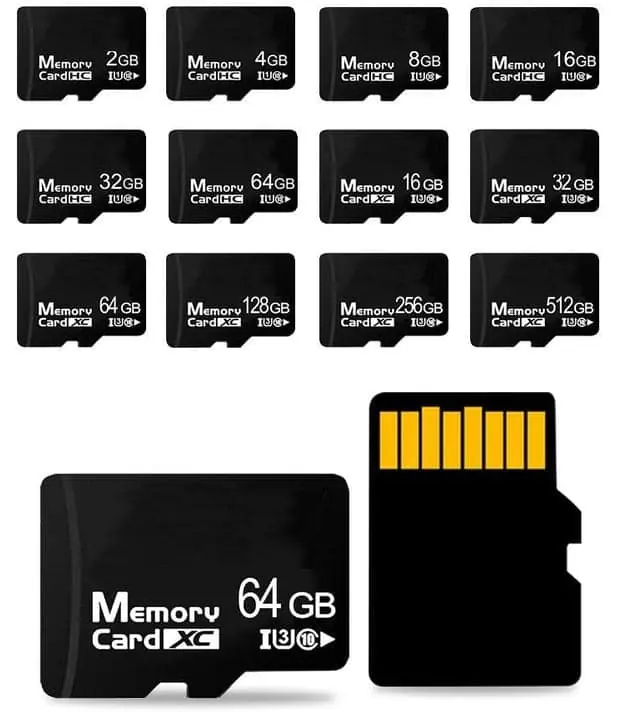
The card formats formalise the same idea. The SD Association defines four capacity families with fixed boundaries — SD up to 2GB, SDHC above 2GB to 32GB, SDXC above 32GB to 2TB, and SDUC above 2TB — and each family binds to a matching file system: FAT12/16, FAT32, and exFAT for the two largest. A card does not sit between families, and a host device must support the family to use it. That is why capacity is a specification decision, not a shopping preference.
This matters for procurement because a specification written as “36GB minimum” will be met with 64GB, at 64GB’s price. If the requirement is a cost target rather than an actual need, specify 32GB and design around it.
The other capacity confusion: decimal versus binary
There are two different reasons a drive shows less than its label, and buyers routinely conflate them.
| What the buyer sees | Cause | Is it a problem? |
|---|---|---|
| 128GB label, ~119GB reported | Decimal vs binary units (GB vs GiB) | No — normal |
| 128GB label, ~119GB usable after formatting | File system overhead | No — normal |
| 128GB label, 32GB of real data | Capacity faked in firmware | Yes — fraud |
| 128GB label, files corrupt past a point | Capacity faked in firmware | Yes — fraud |
The first two rows account for most of the panic. The 7 percent difference between a decimal gigabyte and a binary gibibyte is not a defect, and neither is the small amount the file system reserves for its own structures. Every drive does this; every operating system reports it.
The bottom two rows are a different phenomenon entirely and are covered in how to check whether a drive’s capacity is fake.
Choosing a capacity that will not fail
The correct method is to work from the content and round up.
- Measure the actual content: file sizes, not file counts.
- Add the headroom you need — for media archives, 20 to 30 percent is a reasonable planning figure.
- Round up to the next standard capacity, not down.
- Check that the chosen capacity is tested, not just labelled.
Step 3 is where buyers go wrong when trying to save money. Rounding down produces a drive that fills up, and a drive that fills up is exactly the drive whose last-written files are most at risk. The saving on the smaller capacity is repaid in support time.
The TF card capacity estimator will convert a file library into a recommended capacity band, and capacity bands from 4GB to 256GB explains where each band stops being sensible economically.
When the requirement is genuinely large
If a project genuinely needs multi-terabyte storage, the answer is not a flash drive. It is a different product category:
| Requirement | Appropriate product | Why not a flash drive |
|---|---|---|
| Multi-TB portable storage | Portable SSD | Flash drive bodies cannot cool the NAND stack |
| Fixed storage inside a device | eMMC or SSD | Flash drives are removable by design |
| Small, cheap, removable | microSD | Capacity bands are lower but the format is right |
| Embedded, soldered | eMMC, UFS, UDP module | No connector, better thermal path |
Specifying the wrong category is a common cause of projects that stall at quotation. A buyer asking for 2TB gets either a fake product or an honest refusal; neither is what they wanted. The useful conversation is about the requirement behind the number — how much data, read how often, in what enclosure — because that usually points to a different product that does exist.
For the boundary between removable and embedded storage, see TF card vs UDP module and microSD vs embedded eMMC for portable devices. For the specification questions that prevent a project stalling, the USB specification builder walks through the fields that matter.
Sources
Frequently asked questions
Can I really buy a 2TB USB flash drive?
Not as a genuine flash drive in a standard USB-A body. Drives sold as 2TB at low prices are capacity-faked: the controller is programmed to report a size far larger than the NAND inside, and data written beyond the real capacity is silently lost. A 2TB portable SSD in a larger enclosure is a different product and does exist; the distinction is the form factor and the cooling it allows, not the capacity number alone.
Why can't I order 36GB instead of 32GB or 64GB?
Because capacity is addressed in binary steps and the available dies are fixed sizes. A card or drive is built from one or more NAND dies, and the usable capacity is the die capacity multiplied by the number of dies, minus space reserved by the controller for management. The result lands on a set of standard points — 16, 32, 64, 128, 256, 512GB and so on — not on arbitrary numbers between them. A 36GB product would require a die or a configuration that does not exist.
Why does my 128GB drive show only about 119GB in Windows?
That is not a defect and it is not faking. Drive capacity is quoted in decimal units — 128GB means 128 billion bytes — while operating systems report in binary units, where the same quantity is about 119GiB. The gap of roughly 7 percent is normal and applies to every drive, every brand. Faking is a much larger discrepancy, such as a 128GB drive that only holds 32GB of real data.
Does a bigger capacity mean a slower drive?
Not necessarily, but large capacities written to full take much longer to test and can expose weak flash management sooner. A high-capacity drive has more cells to manage, so the controller's wear-levelling and error handling matter more. This is one reason capacity testing a large drive is a slow process: it is not just transferring more data, it is exercising a larger management problem.
What is the practical ceiling for a custom project?
For a standard USB-A flash drive, 1TB is the realistic ceiling and it requires a body with enough thermal mass to handle the heat. For microSD, the ceiling in common supply is considerably lower, and the highest capacities carry a price premium and a narrower supply base. For embedded designs, an SSD or eMMC path avoids the flash-drive ceiling entirely and should be considered when the requirement is genuinely large.
How do I choose the right capacity?
Work from the content, not from the largest number available. Add up the actual size of the files, multiply by the headroom you need, then round up to the next standard capacity — not down. Choosing down defeats the purpose, because the drive fills and the last files written are the ones that fail. Use the capacity estimator to convert a file library into a recommended band.